
106 E 7th St, Akron, CO 80720, USA – September 21, 2026 – Keeping digital paperwork moving smoothly is a daily headache for students, offices, and creative teams alike. ilovepdf2.com, a popular web-based document platform, has expanded its line of free utility tools by launching dedicated converters for PNG, JPG, PSD, and TIFF files straight into editable Microsoft Word documents – completely free, with no signups, software downloads, or monthly fees.
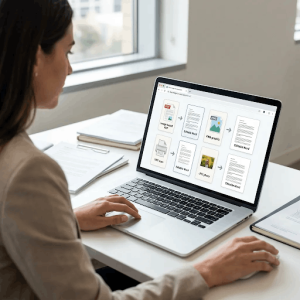
I Love PDF 2 makes pulling text out of pictures simple, fast, and free – Built for everyday convenience, the platform gives you direct access to optical text recognition tools that convert flat images into real, editable text. Whether you are dealing with a quick photo of a document or a complex design file, everything works right inside your browser – no account registration, no waiting, just results.
“Our goal has always been to remove the annoyance people deal with when handling stubborn file formats,” said Rehmat Analyst, Media Relations Manager at ilovepdf2. “When text gets trapped inside a picture, a scan, or a graphics file, you shouldn’t have to retype it all by hand or pay for heavy software. These new tools make image-to-text extraction instant for everyone.”
Direct Image-to-Word Extraction for Every File Type
The expanded lineup solves key everyday file problems by turning static graphics into working .docx files:
PNG to Editable Word
Pull clean, editable text out of web screenshots, transparent PNG graphics, and digital notes while keeping line breaks and paragraphs organized.
JPG to Editable Word
Turn physical document scans, smartphone photos of paperwork, receipts, and printed pages into editable text documents using built-in OCR.
PSD to Editable Word
Extract embedded text layers and text notes directly out of multi-layer Adobe Photoshop files without needing graphic design software installed on your machine.
TIFF to Editable Word
Process large multi-page scans, old archives, and commercial fax files into clean Word documents for quick editing, sharing, and record-keeping.
Preserving Formatting and Original Layouts
Unlike basic converters that spit out uneditable files or scrambled text blocks, the updated system reads written characters while keeping margins, font placements, and structural spacing intact. The output file opens like a normal Word document, ready for immediate edits in Microsoft Word or Google Docs.
Data Security and Instant Access
Privacy remains a core focus for ilovepdf2. Files uploaded for conversion are processed on secure servers and automatically erased shortly after completion. No personal information is collected, and users never need to log in or create an account to run their files. The site works across desktop computers, tablets, and mobile devices.
Unlocking Text Across All Formats
Everyday work moves fast, and nobody has time to waste retyping text locked inside images. iLovePDF 2 keeps things simple by making sure anyone can access powerful file conversion tools completely free. Whether you are a student using jpg to word to clean up lecture photos, a business owner converting scanned files with tiff to word, or a creator using png to word and psd to word to pull text out of graphics and design drafts, you get full access right away – no hidden paywalls, no subscriptions, and no signups required.
To see the tool in action, watch the step-by-step video guide showing how to upload a PNG file, run optical text extraction, and download the editable Microsoft Word document:
Explore the full suite of new tools at i Love PDF 2
Media Contact
Rehmat Analyst
Media Relations Manager
 info@ilovepdf2.com
 https://ilovepdf2.com/